What actually depends on this?
The question is always the same. Whether you look after customer environments as an MSP or answer for your own as an IT department, you need the same IT documentation: a picture that is true and data that hangs on it. What differs is the daily routine around it.
IT service providers keep every customer environment apart, one agent per network checks what is unreachable from outside.
When a server fails, the diagram shows at once which services and applications are affected.
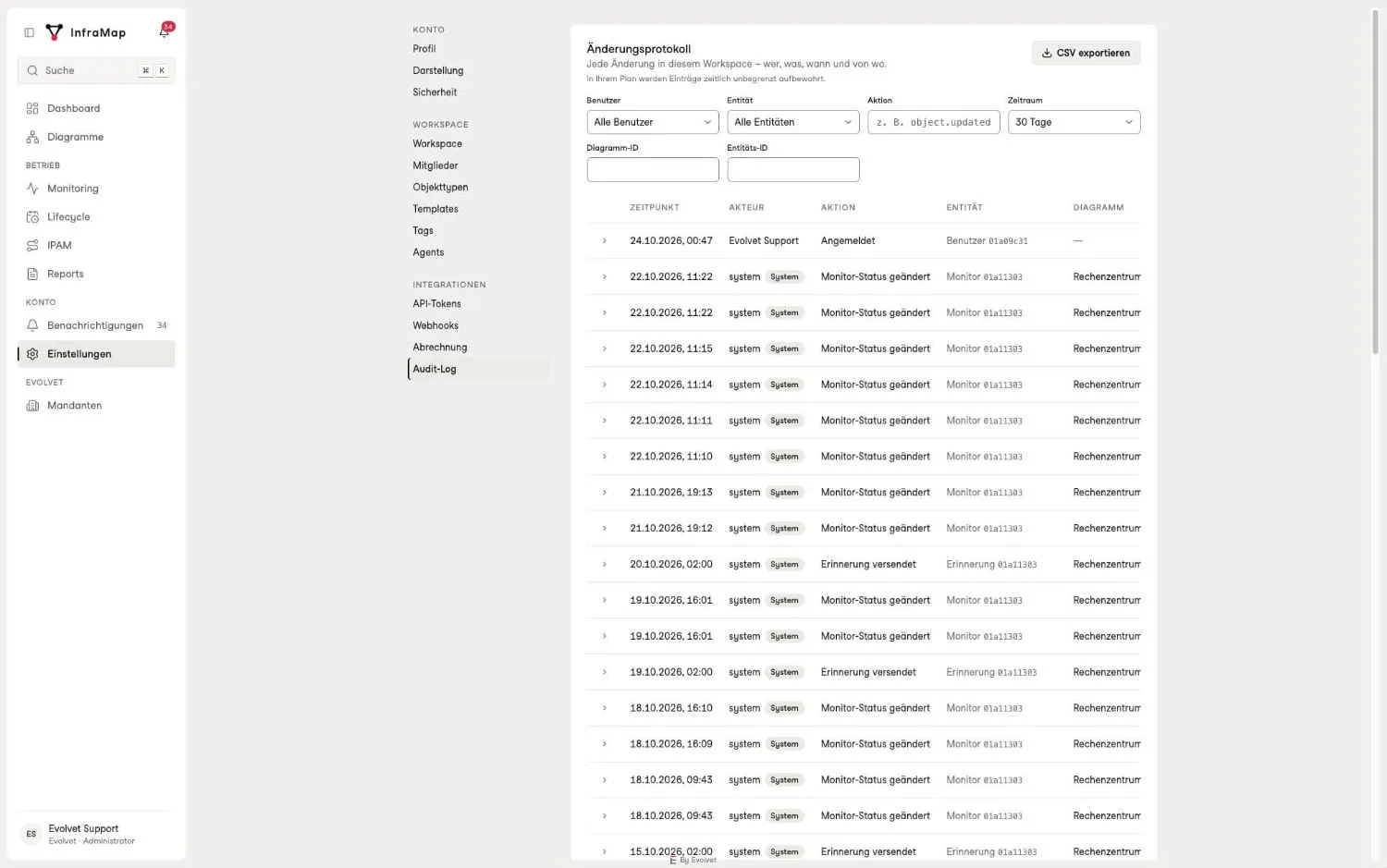
Every change is logged with person and time, so you answer the auditor’s questions in minutes.
When someone leaves the team, the knowledge stays on the object: access, decisions and maintenance are in the journal.
Warranties, certificates and licences carry their deadline on the object, the reminder comes before they expire.
Your technician knows the site. The new hire does not.
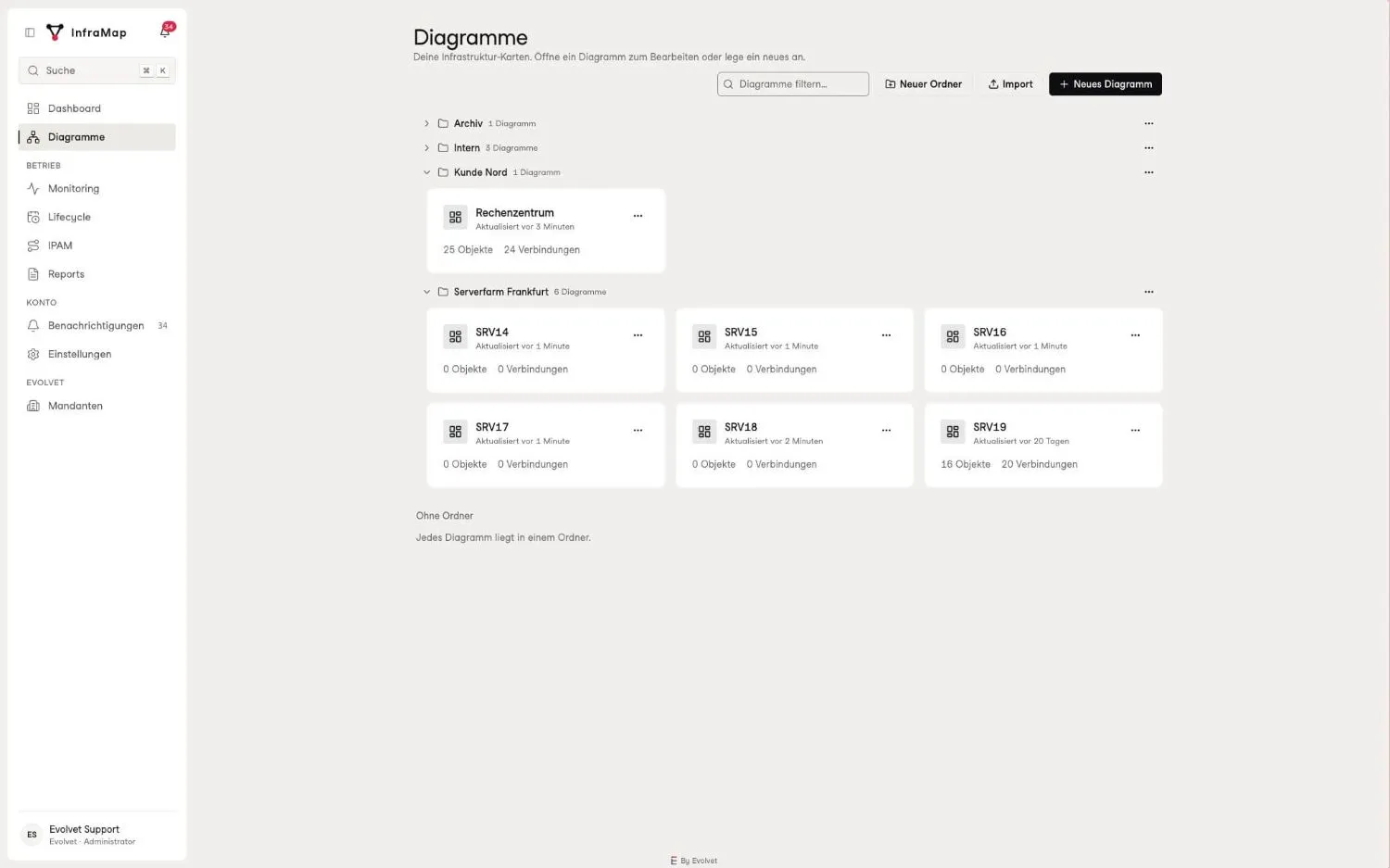
In InfraMap every customer gets a folder, every site a diagram and every network an agent. Whoever drives out to an appointment knows in advance what to expect, instead of having it explained on the phone.
- A folder per customer,
- up to five levels deep, with sub-diagrams for sites and environments and the full path above the canvas.
- Ten agents from Business,
- each checking inside its own customer network without a port being opened there.
- Reports with your logo.
- From Business the PDF reports carry your own logo, and the vendor credit can be hidden.
- Handovers without gaps,
- because the journal and the change log show who changed what, when and for which reason.
Onboard new customers quickly
Our prompt turns the documents you receive anyway into an InfraDoc file. You check the preview, import it and let the canvas lay itself out.
Deadlines as a reason to call
Your customers’ warranties, licences and contracts sit on the objects. The list for the next 90 days is therefore not only a reminder, it is your pipeline.
Connected to your tools
API and webhooks from Business, plus tokens with graded permissions. Your ticket system and your automation stay where they are and get their events from InfraMap.
Your IT knowledge sits two desks away.
As long as it sits there it is not company knowledge, it is a risk entitled to annual leave. InfraMap brings it to the objects where it is needed.
- During an outage
- the red border shows the problem even when the affected object is out of view, and the dependencies tell you who will call next.
- During an audit
- every change is on file with person, time, old and new value, from Business also as CSV for the auditor.
- When people change
- the knowledge stays: people are objects with responsibilities, and the journal holds what otherwise only one person knows.
- In daily work
- addresses, deadlines and credentials sit on the object instead of being spread over four spreadsheets and three inboxes.

“In a workshop every team first draws its landscape on the wall. InfraMap is the wall nobody wipes clean afterwards.”
How you notice that it is time
Three situations that happen in every company, and that feel different once the picture is kept up to date.
The question during an outage
Nobody can say within minutes which applications depend on a system, so people guess until someone with the right knowledge picks up the phone.
The question during an audit
The evidence consists of screenshots from last year, and every follow-up question costs half a working day.
The question at handover
When a person leaves, a gap appears that nobody can quantify, because nobody knows what exactly was in it.